
LATEST NEWS
📢 IMPORTANT UPDATE: SpaceX filhal working nahi hai. | ✅ WORKING PRODUCTS: Gadar, TeslaX, Superman, Endgame, aur Pubg full speed mein chal rahe hain! | ⚡ VISIT DASHBOARD: Sabhi updates ke liye Dashboard check karein. | 🔥 HOT DEAL: Automatic Delivery Slot IP sirf ₹499 mein! | 🆔 INSTANT ID: Automatic Delivery IRCTC ID ab available hai.
✨ New 2026 Edition Available

Book Tatkal With
Star TS

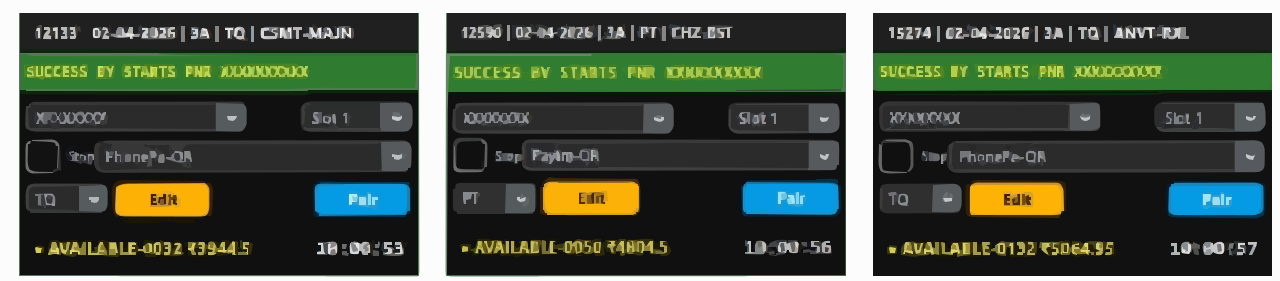
Stable automation + fast execution for consistent Tatkal success. Instant install, auto-fill, and secure login for agents.

Star TS Hero

Why Star TS is Reliable

Built for consistent Tatkal performance with clean automation and agent-first workflow.

Stable Booking Engine

Optimized flow for predictable results during peak Tatkal time with reduced manual actions.

Instant Installation

Fast setup with guided activation. Start booking in minutes with training included.

Unlimited Resets

Shift devices or reinstall when needed without extra charges.

Quick Delivery

Get setup key and software link quickly via WhatsApp/Email after purchase.

Auto-Fill Workflow

Pre-save passenger details and reduce manual typing at the critical second.

Secure Login

Local processing with secure handling of credentials and passenger data.

Simple, Transparent Pricing

Choose the plan that fits your booking style.

Standard

Star TS Plan

₹1,600 / month

Core features for consistent Tatkal booking.

  • 2 PNR per login
  • 1 Month Validity
  • Free Training Included
  • Instant Installation
  • Unlimited Resets
BUY NOW
Best Value

Star TS + VPS

₹3,600 / month

Performance Pack for peak Tatkal slots

  • Star TS Software License
  • High-Speed VPS Server
  • Rapid Setup & Priority Support
  • 30-Day Validity
  • Dedicated Call Support
BUY NOW
Booking Mantra

Star TS Mandatory Steps for Tatkal Booking

Star TS ek fully Python-based new technology software hai. Best result ke liye neeche diye gaye steps daily follow karein.

Before You Start

1

2 PNR system: Star TS me 2 PNR ek saath booking hota hai — Slot 1 aur Slot 2.

2

Jis VPS/PC me Star TS use karna hai, usme Brave Browser mandatory install hona chahiye.

3

Daily ek baar Token Get karna hota hai (Window 1: 7:00–7:40 ya Window 2: 9:00–9:40).

Daily Token Process (Slot 1 + Slot 2)

1 Slot 1 Token
  • Software me Token button par click karein.
  • Slot 1 select karein → Brave Browser open hoga.
  • IRCTC login karein aur manual payment screen tak jaayein.
  • Get Token 1 par click karein, fir browser ko close/cut kar dein.
2 Slot 2 Token

Slot 2 ke liye bilkul same steps repeat karein: Token → Slot 2 → Brave open → IRCTC login → Manual payment → Get Token 2 → Close.

Tatkal Booking Time (Auto Mode)

1

Booking time par :53 ya :54 second ke around WEB-2 login karke ready chhod dein.

2

Iske baad mouse touch na karein. Star TS automatic process handle karega.

3

Slot 1 + Slot 2 dono ke liye token already ready hona chahiye, tabhi best output milega.

Daily token + correct timing = best speed
Video Guide

Booking Mantra (Easy Step-by-Step)

Watch the full process so you can follow the exact flow during Token + Booking time.

Star TS Team

Aapko kisi step me confusion ho, to Help Center aur Dashboard se support mil jayega. Best practice: token daily time window me pehle hi complete kar dein.

Master Tatkal in 4 Steps

1

Download Star TS Installer

Get the installer from our secure link after purchase.

2

Install & Activate

Enter your license key to activate and complete setup.

3

Prepare Passenger List

Save details in advance so you do not waste time at Tatkal.

4

Start at Tatkal Time

Run the booking flow at 10:00/11:00 AM and monitor results.

SEO Article

Star TS Tatkal Software Guide (Tatkal Software Today)

This article explains what Tatkal Software is, how it works, and what TatkalHub provides with Star TS Tatkal Software (often searched as Start TS / Start TS TS Tatkal Software).

Star TS Article Banner
Tatkal Software • Star TS • TatkalHub
Tatkal Software

What is Tatkal Software?

Tatkal Software is a booking assistance tool that helps reduce manual work at Tatkal time. Agents can prepare passenger details earlier and execute the booking flow faster when the Tatkal window opens, so the process stays clean and controlled in peak seconds.

  • Helps speed up form filling for Tatkal Software today workflows.
  • Improves timing control to reduce last-second pressure.
  • Designed for agent use with stable steps and repeatable results.
Speed
Save Seconds
Less typing, fewer delays.
Flow
Smooth Steps
Cleaner booking sequence.
Control
Consistency
Repeatable workflow.
Star TS Tatkal Software

How does it work?

Star TS follows an agent-first workflow: prepare passenger data and preferences in advance, then execute the booking steps quickly at 10:00/11:00 AM. This keeps your focus on confirmation and reduces mistakes in rush time.

1
Pre-setup before Tatkal
Passenger list, preferences, and a ready flow.
2
Fast execution at Tatkal time
Reduced manual actions and smoother steps.
3
Training + support
TatkalHub guidance for better success rate.
TatkalHub Benefits

What does TatkalHub provide with Star TS?

Free Training Instant Install Quick Support

TatkalHub provides more than only a Tatkal Software license. With Star TS Tatkal Software, you get a full support system for daily agent work: training, fast installation, and quick help whenever you face setup or workflow issues.

Free Training
Guidance for workflow and best timing.
Instant Install
Quick setup without delays.
Quick Support
Help Center and direct assistance.
Secure Workflow
Focused on stability and safety.

Frequently Asked Questions

How to book Tatkal tickets fast in 2026?

Use automated software like Star TS to reduce manual delays. Pre-save passenger details and execute the flow quickly at Tatkal time.

Is Star TS safe to use?

Star TS is designed to keep your workflow clean and secure. Credentials and passenger data are handled securely with local-first processing.

Do I get training with Star TS?

Yes. Training is included. Follow the steps in the guide and reach support if you need help during setup.

What if I need support?

Support is available via Help Center and WhatsApp channels, and you can also use the Dashboard for updates and renewals.